
Upgrading Your Gaming Rig: What You Should Consider
Introduction
At some point, every gamer hits that moment: a new game releases, the graphics look amazing… and your PC struggles to keep up. Frame rates drop, load times stretch out, and suddenly your once-proud gaming rig feels a little outdated. The good news is that you don’t always need to build a brand-new PC to get back in the game. Often, a smart upgrade or two can breathe new life into your setup.
Upgrading a gaming rig can feel intimidating, especially with all the hardware choices, compatibility concerns, and budget questions involved. But with a little planning, it can be one of the most rewarding things you do as a PC owner.
In this guide, we’ll walk through how to evaluate your current setup, decide which components are worth upgrading, avoid common compatibility and budget pitfalls, and plan a smooth upgrade process—without unnecessary stress or wasted money.
Evaluating Your Current Setup and Goals
Before you buy anything, the most important step is understanding what you already have and what you want to achieve. Upgrading without clear goals often leads to overspending or disappointing results.
Start by asking yourself a few key questions:
- What games do I play most often?
- What resolution and refresh rate am I targeting?
- Am I happy with current performance, or just “getting by”?
- Do I want better visuals, smoother gameplay, or faster load times?
Next, take inventory of your current hardware. Knowing your CPU, GPU, RAM, storage type, power supply, and motherboard will help you identify bottlenecks. Many gamers assume their graphics card is always the problem, but sometimes the CPU or slow storage is holding things back.
Pay attention to real-world performance issues. Are games stuttering? Is your CPU constantly maxed out? Do loading screens feel painfully long? These symptoms provide valuable clues about what needs upgrading most.
Clear goals make the rest of the upgrade process far easier and help you spend money where it matters most.
Choosing the Right Components to Upgrade
Once you know your goals, it’s time to decide which components deserve priority. Not every upgrade delivers the same impact.
Graphics Card (GPU)
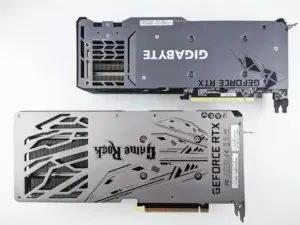
For most gamers, the GPU offers the biggest performance boost. A newer graphics card can improve frame rates, visual quality, and support for modern features like ray tracing or upscaling technologies.
Processor (CPU)
If your GPU is strong but performance still feels uneven, your CPU may be the bottleneck. This is especially common in CPU-heavy games or competitive titles where high frame rates matter.
Memory (RAM)
Upgrading from 8GB to 16GB of RAM is one of the most affordable and noticeable upgrades for modern gaming. More RAM helps with multitasking, smoother gameplay, and fewer stutters. If you’re wondering whether adding more RAM will make your computer faster, it’s important to assess your specific usage and titles played.
Storage
Switching from a traditional hard drive to an SSD—or upgrading to a faster NVMe SSD—dramatically improves load times and overall system responsiveness. While it won’t boost frame rates, it makes your PC feel much faster. Check how to install and set up your PC components if you’re unfamiliar with swapping drives.
Cooling and Case Airflow
Better cooling doesn’t directly increase performance, but it helps components maintain higher speeds consistently. Overheating can cause throttling, which hurts performance during long gaming sessions.
Not every upgrade needs to happen at once. Sometimes a single well-chosen component can make a huge difference.
Compatibility and Budget Considerations
Compatibility is where many first-time upgraders run into trouble. Even powerful components won’t help if they don’t work together. Consider reading up on diagnosing and resolving hardware compatibility issues before purchasing new parts.
Start with your motherboard. It determines which CPUs, RAM types, and expansion options are supported. A CPU upgrade may require a new motherboard—and possibly new RAM—so it’s important to factor that into your plan.
Your power supply (PSU) is another critical component. Newer GPUs often require more power and additional connectors. Using an underpowered or low-quality PSU can lead to instability or even hardware damage.
Physical space matters too. Some graphics cards are large and may not fit in smaller cases. Always check clearance before buying. If you want to avoid common PC building mistakes, proper measurement and planning are key.
Budgeting is equally important. Set a realistic spending limit and prioritize upgrades that deliver the biggest benefit for your use case. Avoid overspending on top-tier parts if mid-range options meet your needs. For extra advice, check out these tips for building the best gaming PC for your budget.
Remember to account for hidden costs like new cables, thermal paste, or a better cooler. These small expenses add up but are often necessary for a successful upgrade.
Planning and Executing Your Upgrade
A little planning goes a long way when it’s time to install new components.
Before upgrading, back up important files—just in case. While hardware upgrades are generally safe, it’s better to be prepared.
Take your time during installation. Power off your PC, unplug it, and ground yourself to avoid static damage. Follow manufacturer instructions carefully and double-check connections before powering on. To stay safe and avoid damage or injury, you may want to read these computer repair safety tips.
Once your PC boots, install the latest drivers and updates. This step is often overlooked but critical for stability and performance.
After upgrading, test your system. Run a few games, monitor temperatures, and make sure everything behaves as expected. If something seems off, don’t panic—many issues come down to common hardware issues like loose cables or outdated drivers.
Finally, consider future upgrades. Leaving room in your budget and power supply now can make your next upgrade easier and cheaper down the road. If you want to avoid problems later, try to avoid common PC building mistakes.
Conclusion
Upgrading your gaming rig doesn’t have to be overwhelming or expensive. With clear goals, smart component choices, and careful planning, you can dramatically improve performance and extend the life of your PC.
The key is understanding your current setup, focusing on upgrades that matter most, and avoiding common compatibility and budget mistakes. Whether you’re chasing higher frame rates, smoother gameplay, or faster load times, the right upgrade can make your gaming experience feel brand new again.
Have you upgraded your gaming rig recently—or are you planning your next upgrade? Share your experience, questions, or tips in the comments below. Let’s help each other build better gaming PCs!