
The Benefits of Overclocking Your CPU: Is It Worth It?
Introduction
If you’ve spent any time researching PC performance, you’ve probably heard the term overclocking. For some people, it sounds exciting—free performance! For others, it sounds risky or overly technical. The truth is, overclocking your CPU sits somewhere in the middle. When done correctly, it can provide noticeable performance improvements without costing you anything extra. When done carelessly, it can lead to instability, crashes, or overheating.
Overclocking isn’t just for hardcore enthusiasts anymore. Modern CPUs, motherboards, and cooling solutions have made the process safer and more accessible than ever, even for typical users who want a bit more performance from their systems. Whether you’re gaming, editing videos, or just trying to make your PC feel a little faster, overclocking can be a useful tool.
In this guide, we’ll break down what overclocking actually is, the real-world benefits you can expect, why it can be a cost-effective upgrade, and how to keep your system stable after making changes. No jargon overload—just practical, easy-to-understand advice.
Understanding Overclocking: What It Is and How It Works
At its core, overclocking means running your CPU at a higher speed than the manufacturer’s default settings. CPUs operate at a specific clock speed, measured in gigahertz (GHz), which determines how many calculations they can perform per second. Overclocking increases that speed, allowing the CPU to process tasks faster.
Most modern CPUs already use boost technologies that automatically increase speed when needed. Manual overclocking takes this a step further by pushing the CPU beyond those automatic limits. This is typically done through the system’s BIOS or UEFI settings, where you adjust values like clock multipliers and voltage.
It’s important to understand that not all CPUs can be overclocked. Many Intel CPUs require a “K” or “X” designation, while most AMD Ryzen CPUs support overclocking by default. Your motherboard also plays a role—entry-level boards may not support overclocking or may have limited power delivery.
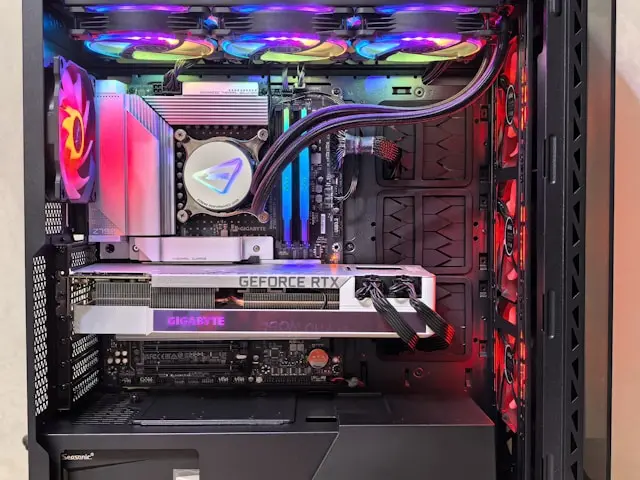
Overclocking increases heat and power consumption, which is why proper cooling is essential. Stock coolers may work for small overclocks, but larger gains usually require an aftermarket air cooler or liquid cooling solution.
The key takeaway: overclocking is about controlled performance increases, not pushing your hardware to unsafe extremes.
Performance Gains and Real-World Benefits
One of the biggest questions people ask is, “Will I actually notice a difference?” The answer depends on how you use your computer—but in many cases, yes.
Gaming Performance
In CPU-heavy games, overclocking can lead to higher frame rates and smoother gameplay. This is especially noticeable in:
- Competitive games that rely on fast CPU response
- Open-world games with lots of background calculations
- Scenarios where your GPU isn’t the limiting factor
While overclocking won’t magically double your FPS, it can reduce frame drops and improve consistency.
Productivity and Creative Work
Tasks like video rendering, photo editing, 3D modeling, and file compression often benefit from higher CPU speeds. Even small performance gains can save time when tasks are repeated frequently.
System Responsiveness
Overclocking can make your system feel more responsive during multitasking. Apps may load faster, and switching between programs can feel smoother, especially on older systems that need a little extra push.
The most important thing to remember is that overclocking provides incremental improvements. It’s not a replacement for a major hardware upgrade, but it can extend the useful life of your CPU.
Cost-Effective Upgrades Without New Hardware
One of the biggest advantages of overclocking is that it’s essentially a free upgrade. Instead of buying a new CPU, you’re getting extra performance out of the one you already own.
Stretching Your Budget
If you built your PC on a budget or bought a mid-range CPU, overclocking can help close the performance gap between your processor and more expensive models. This can be especially helpful if upgrading isn’t an option right now.
Delaying Full System Upgrades
Overclocking can buy you time. If your system is starting to feel slow but isn’t quite outdated, a modest overclock might be enough to keep things running smoothly for another year or two.
Learning and Customization
Beyond performance, overclocking helps users better understand their hardware. Learning how your CPU behaves under load, how cooling affects performance, and how settings interact gives you more control over your system.
That said, cost-effectiveness only applies if you already have adequate cooling and a compatible motherboard. If you need to buy expensive cooling hardware just to overclock, the value proposition changes.
Optimizing and Maintaining Stability After Overclocking
Overclocking isn’t a “set it and forget it” process. Stability and long-term reliability should always come first.
Stress Testing Is Essential
After overclocking, stress testing ensures your system can handle the increased speeds. Tools like CPU stress testers and benchmarking software push your processor to its limits and help identify crashes or overheating issues.
If your system freezes, restarts, or shows errors, your overclock may be too aggressive.
Monitoring Temperatures
Keep a close eye on CPU temperatures, especially under load. High temperatures can reduce lifespan and cause throttling. As a general rule:
- Idle temps should remain low
- Load temps should stay within safe manufacturer limits
If temperatures are too high, reduce your overclock or improve cooling.
Voltage Management
Increasing voltage can improve stability, but it also increases heat and wear. Always use the lowest voltage necessary to maintain stability. More voltage is not always better.
Long-Term Maintenance
Over time, you may need to adjust settings due to changes like:
- New software updates
- Seasonal temperature changes
- Dust buildup in your case
Regular cleaning and periodic checks help maintain a stable overclock.
Conclusion
Overclocking your CPU can be a rewarding way to boost performance, extend the life of your system, and get more value out of your hardware—all without spending money on new components. When done carefully, it offers real benefits for gaming, productivity, and overall system responsiveness.
That said, overclocking isn’t mandatory, and it’s not for everyone. If you value absolute stability or prefer a hands-off experience, stock settings are perfectly fine. But if you enjoy learning about your system and squeezing out extra performance, overclocking can be a fun and practical upgrade.
Have you tried overclocking your CPU, or are you considering it for the first time? Leave a comment below and share your experience, questions, or tips—your input might help someone else decide if overclocking is right for them.