
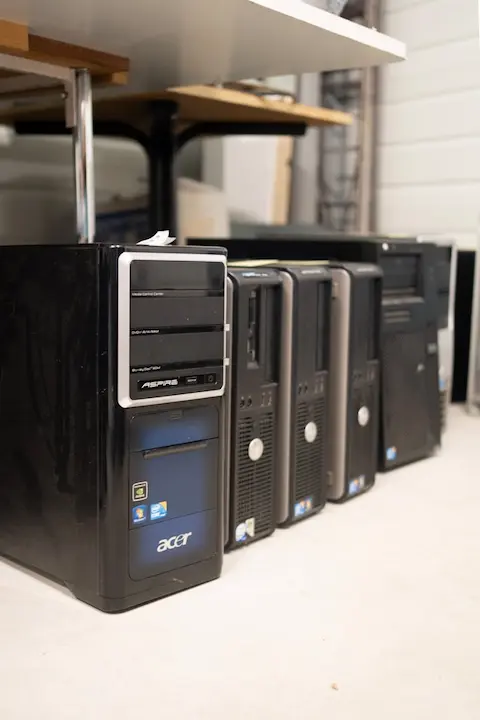
Exploring Different PC Case Sizes: Finding the Right Fit for Your Build
Introduction
When people think about building a PC, they usually focus on the exciting parts like the processor, graphics card, or how much RAM they’ll need. The PC case, however, often gets pushed to the bottom of the priority list. That’s a mistake. Your PC case isn’t just a box that holds parts—it plays a huge role in airflow, cooling, expandability, ease of building, and even how future-proof your system will be.
If you’ve ever felt overwhelmed by terms like full-tower, mid-tower, Mini-ITX, or small form factor, you’re definitely not alone. PC case sizes can be confusing, especially for first-time builders. In this guide, we’ll break down the most common PC case sizes, what they’re best used for, and how to decide which one is right for your specific needs.
Whether you’re building a powerful gaming rig, a compact home office PC, or something in between, this post will help you make a confident decision.
Overview of PC Case Sizes and Form Factors
Before diving into specific case sizes, it’s important to understand what “form factor” means. In simple terms, a form factor refers to the size and layout standard of your motherboard and case. The most common motherboard form factors include ATX, Micro-ATX, and Mini-ITX, and your case must support the motherboard size you choose.
PC cases are typically categorized into a few main sizes:
- Full-Tower
- Mid-Tower
- Micro-ATX (sometimes considered a mid-sized category)
- Small Form Factor (SFF) / Mini-ITX
Each size offers different advantages and limitations. Larger cases generally provide better airflow, more room for components, and easier cable management. Smaller cases save space and look sleek but often require more planning and careful part selection.
Another thing to keep in mind is your available space. Measure your desk or floor area before choosing a case. A beautiful full-tower doesn’t help much if it barely fits under your desk or blocks airflow.
Understanding these basics will make the rest of your decision much easier.
Full-Tower and Mid-Tower Cases: Room for Expansion
Full-Tower Cases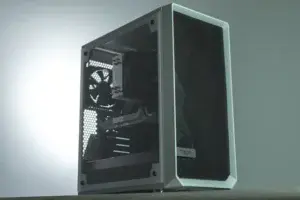
Full-tower cases are the largest commonly available PC cases. These are often chosen by enthusiasts, content creators, or users who want maximum expandability.
Pros of full-tower cases:
- Plenty of room for large graphics cards and CPU coolers
- Excellent airflow potential with multiple fan and radiator options
- Easy cable management due to extra space
- Supports multiple storage drives and expansion cards
Cons of full-tower cases:
- Large and heavy
- More expensive
- Takes up a lot of space
If you plan to use multiple GPUs, custom liquid cooling, or lots of storage drives, a full-tower case may be worth considering. They’re also beginner-friendly because the extra room makes installation easier.
Mid-Tower Cases
Mid-tower cases are the most popular choice for most users—and for good reason. They strike a great balance between size, price, and functionality.
Pros of mid-tower cases:
- Supports ATX and Micro-ATX motherboards
- Enough room for modern GPUs and cooling solutions
- Easier to fit in smaller spaces compared to full-towers
- Wide variety of designs and price points
Cons of mid-tower cases:
- Less room for extreme custom cooling
- Slightly tighter cable management than full-towers
For most gaming PCs, home office systems, and everyday builds, a mid-tower case is usually the best option. It provides flexibility without being overwhelming in size.
Compact Cases: Small Form Factor (SFF) and Mini-ITX Builds
Small form factor cases are all about saving space while still delivering solid performance. These cases are commonly paired with Mini-ITX motherboards.
Pros of compact cases:
- Great for desks with limited space
- Clean, minimalist appearance
- Portable and easy to move
Cons of compact cases:
- Limited airflow
- Challenging cable management in small PCs
- Fewer expansion options
- Requires careful component selection
With SFF builds, compatibility becomes critical. Not all graphics cards, power supplies, or CPU coolers will fit. Many compact cases require SFX power supplies instead of standard ATX ones, which can be more expensive.
Small form factor builds are ideal for:
- Home theater PCs (HTPCs)
- Office or productivity systems
- Users who value aesthetics and space-saving design
They’re not impossible for beginners, but they do require patience and planning.
Choosing the Right Case for Your Build
Now that you understand the main case sizes, how do you choose the right one? Start by asking yourself a few key questions:
1. What is your PC’s primary purpose?
- Gaming
- Office work
- Content creation
- Media streaming
Gaming and high-performance systems usually benefit from mid-tower or full-tower cases due to cooling needs.
2. How much space do you have?
Measure your desk or floor area. Don’t forget to leave room for airflow around the case.
3. Do you plan to upgrade later?
If you plan on adding more storage, upgrading your GPU, or installing better cooling later, choose a case with room to grow.
4. How important is airflow and cooling?
Larger cases typically allow better airflow, which helps keep temperatures down and components running smoothly. PC cooling systems can play a big role in this decision.
5. How comfortable are you with building?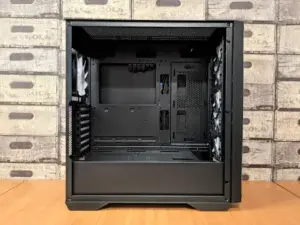
If this is your first build, a mid-tower case will likely offer the easiest experience. Avoiding common PC building mistakes can make the process smoother.
Taking the time to answer these questions will help you avoid common frustrations and ensure your PC case supports both your current needs and future upgrades.
Conclusion
Choosing the right PC case size is an important step that shouldn’t be overlooked. Whether you go with a spacious full-tower, a versatile mid-tower, or a sleek small form factor case, the best choice is the one that fits your space, your components, and your comfort level.
A well-chosen case makes building easier, improves airflow, protects your components, and sets you up for future upgrades. Take your time, check compatibility carefully, and don’t be afraid to prioritize ease of use—especially if this is your first build.
If you’ve built a PC before, or you’re currently deciding on a case size, I’d love to hear about your experience. Leave a comment below and share what worked for you or what questions you still have. Your input helps others learn, too!