
Understanding the Different Types of Media Players
Introduction
Whether you’re watching movies, listening to music, or streaming videos online, media players are an essential part of the digital experience. A media player is simply a tool—either software or hardware—that allows you to open, play, and manage media files such as videos, music, and sometimes even photos. For most people, media players are something they use every day without thinking much about them.
But when you start exploring different options, you’ll discover that media players come in many forms. Some are built into your operating system, while others offer advanced features like improved file compatibility, streaming support, or media library organization. On the hardware side, devices like streaming boxes and smart TVs also act as media players.
Understanding the different types of media players can help you choose the best one for your needs. In this guide, we’ll look at what media players are, explore both software and hardware options, and discuss how to choose the right one for your setup.
What Are Media Players and Why Do They Matter?
A media player is a program or device designed to play multimedia files. These files typically include audio formats like MP3 or WAV, video formats like MP4 or MKV, and sometimes image files.
Most computers already come with a built-in media player. For example, Windows includes a default media player that can handle common audio and video formats. However, built-in options sometimes have limitations when it comes to compatibility with certain file types or advanced playback features.
Media players matter because they directly affect your viewing and listening experience. A good media player can:
- Play a wide range of file formats
- Provide smooth playback with minimal lag
- Offer subtitle support for videos
- Organize your media library
- Support streaming from online services or local networks
On the other hand, using the wrong media player can cause frustrating issues like files that won’t open, audio that doesn’t sync with video, or poor playback quality.
Another important factor is performance. Some media players are lightweight and run efficiently on older computers, while others provide more advanced features but require stronger hardware.
By understanding how different media players work, you can avoid compatibility issues and enjoy a smoother media experience.
Software-Based Media Players
Software-based media players are programs installed on your computer, laptop, tablet, or smartphone. These are the most common type of media player because they allow users to play media files directly from their devices.
Many operating systems include built-in media players. These default options work well for basic playback, but some users prefer third-party players that offer more features.
Some common benefits of software-based media players include:
Wide format compatibility
Certain media players support dozens or even hundreds of audio and video file formats. This means you’re less likely to encounter files that won’t play.
Customizable playback controls
Many software players allow you to adjust playback speed, audio levels, subtitles, and video settings.
Media library organization
Some players include tools that automatically organize your music or video collection.
Streaming support
Some programs allow you to stream media from the internet or from other devices on your home network.
Common Issues with Software Media Players
Even though software players are convenient, they can sometimes cause problems. Here are a few common issues users encounter:
Unsupported file formats
If your media player doesn’t support a certain codec, the file may not play properly.
Playback lag or stuttering
Older computers or poorly optimized software may struggle with high-resolution videos.
Missing subtitles or audio tracks
Sometimes media files contain multiple tracks that need to be manually selected.
Fortunately, most of these issues can be solved by updating your media player, installing additional codecs, or switching to a more versatile program.
Software media players are ideal for people who watch media directly on their computers and want flexibility and control over playback settings.
Hardware-Based Media Players
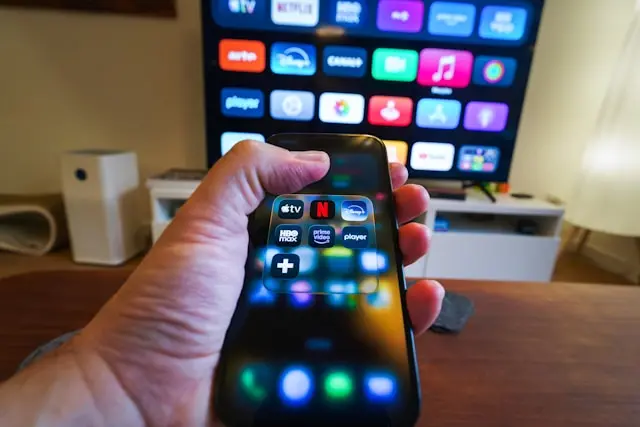
Hardware-based media players are physical devices designed to play or stream media on larger screens, typically televisions. These devices are often used for streaming movies, TV shows, and music.
Some common examples include:
- Streaming devices
- Smart TVs
- Gaming consoles
- Dedicated media boxes
- Blu-ray players with streaming capabilities
These devices connect to your TV and often allow you to stream content from services like video platforms, music apps, or local media servers.
Advantages of Hardware Media Players
Hardware media players offer several advantages over software-based solutions:
Ease of use
Most hardware media players have simple interfaces that are designed for remote control navigation.
Optimized performance
Because they are built specifically for media playback, these devices often provide smooth video playback and reliable streaming.
Large screen viewing
Hardware players are ideal for watching movies and shows on a TV rather than a computer monitor.
Streaming integration
Many devices come with built-in apps for popular streaming services.
Common Issues with Hardware Media Players
Like any technology, hardware media players can sometimes present challenges.
Limited file compatibility
Some devices may not support certain file formats or codecs.
Software updates
Older hardware devices may stop receiving updates, which can affect performance or compatibility.
Network problems
Streaming devices rely heavily on a stable internet connection, so slow Wi-Fi can cause buffering or playback interruptions.
Despite these potential issues, hardware media players remain a popular choice for home entertainment systems.
Choosing the Right Media Player for Your Needs
With so many options available, choosing the right media player depends on how you plan to use it.
Here are a few factors to consider when deciding which type of media player is best for you.
1. Your Primary Device
If you mostly watch videos on your computer, a software-based media player is usually the best choice. It offers flexibility, customization, and compatibility with many file types.
If you prefer watching movies and shows on a TV, a hardware-based media player may be more convenient.
2. File Format Compatibility
Some media players support a wider range of formats than others. If you regularly download or work with different media files, choosing a player with broad format support can save you time and frustration.
3. Ease of Use
Some users prefer simple interfaces with minimal settings, while others enjoy having advanced customization options.
If you’re new to media players, a user-friendly option with automatic playback settings may be the best starting point.
4. Streaming vs Local Media
Consider whether you primarily stream content online or play files stored on your computer or external drives.
- Streaming-focused users may prefer smart devices or streaming boxes.
- Users with large local media collections may benefit from powerful software media players.
5. Performance and Hardware Requirements
High-resolution videos, such as 4K content, require more processing power. Make sure your media player and device can handle the type of media you plan to watch.
Testing a few different options is often the best way to determine which media player works best for your setup.
Conclusion
Media players play a crucial role in how we experience digital entertainment. Whether you’re watching movies, listening to music, or streaming content online, the right media player can make the experience smoother and more enjoyable.
Software-based media players offer flexibility and advanced playback features, making them ideal for computer users. Hardware-based media players, on the other hand, provide convenience and optimized performance for watching content on TVs and home entertainment systems.
By understanding the differences between these options and considering your own needs—such as device compatibility, file formats, and streaming preferences—you can choose a media player that fits perfectly into your setup.
Technology continues to evolve, and media players are constantly improving with new features, better performance, and broader compatibility. Taking a little time to explore your options can greatly enhance how you enjoy your digital media.
Have you found a media player that works particularly well for you? Or have you run into any frustrating playback issues? Feel free to share your thoughts, experiences, or recommendations in the comments below. Your feedback might help other readers find the perfect media player for their needs!