
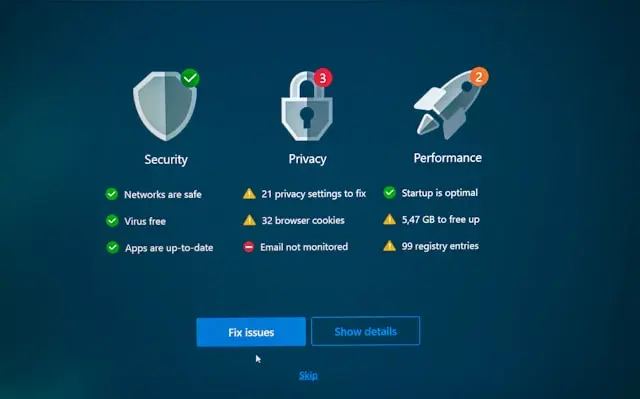
Ways to Prevent a Computer Virus
Introduction
Let’s be honest—computer viruses are a pain. They can slow your system down, steal personal information, or even lock you out of your files. The good news? You don’t have to be a tech expert to protect yourself. With some simple habits and smart precautions, you can avoid most of the common threats that lurk online. In this post, we’ll cover practical steps you can take to keep your computer safe, all explained in beginner-friendly language.
Computer Backups
One of the most overlooked parts of virus prevention is having a good backup system. Even with strong protection, accidents happen—and if a virus does hit, a recent backup can save you from losing everything.
- Use an external hard drive: Regularly copy your important files to an external drive that you keep unplugged when not in use.
- Try cloud storage: Services like Google Drive, OneDrive, or Dropbox can automatically save your files and make them accessible anywhere.
- Schedule backups: Many backup tools let you set an automatic schedule so you don’t have to remember to do it manually.
Think of backups as your safety net. If something goes wrong, you’ll be glad you had one in place.
Watch Emails with Attachments
Emails are one of the most common ways viruses spread. A message might look like it’s from a friend or a company you trust, but it could be a cleverly disguised phishing attempt.
- Don’t click random links: If an email feels off, even if it looks professional, hover over links before clicking to check where they really lead.
- Be cautious with attachments: Files ending in .exe, .zip, or even suspicious-looking PDFs could contain harmful software.
- Check the sender’s address: Hackers often use fake addresses that look almost like a real one but with small differences (like support@paypaI.com with a capital “I” instead of an “l”).
If you’re ever unsure, it’s safer to delete the email than to risk opening something malicious.
Antivirus Updates
Having antivirus software is a great start, but it won’t help much if it’s outdated. Hackers are always creating new types of malware, so your antivirus needs regular updates to keep up.
- Enable automatic updates: Most antivirus programs update on their own, but it’s worth checking to make sure.
- Run scans regularly: Even with real-time protection, running a full scan once a week can catch things that slipped through.
- Stick with trusted brands: Free antivirus software can work well, but make sure you’re using a reputable one and not a fake version that’s actually malware in disguise.
Think of antivirus like a flu shot for your computer—it needs to stay current to be effective.
Watch Out for Suspicious Websites
Not all websites are created equal. Some are designed specifically to trick you into downloading malware.
- Look for HTTPS: Always check for the little padlock icon in your browser. It means the site has some level of security.
- Avoid pop-ups and fake alerts: If a site tells you “Your computer is infected! Click here!”—don’t believe it. That’s often a scam.
- Stick to trusted sources: Whether you’re shopping, downloading, or just browsing, well-known sites are less likely to put you at risk.
When in doubt, close the tab and move on. It’s better to be cautious than to get infected.
Pirated Software
Downloading pirated software might sound like a way to save money, but it’s one of the riskiest things you can do to your computer.
- Hidden malware: Many pirated programs come bundled with viruses, spyware, or other malicious code.
- No updates or support: Legit software gets security patches; pirated copies leave you stuck with vulnerabilities.
- Legal risks: Beyond the tech dangers, pirated software can also land you in legal trouble.
It’s always smarter to use free legitimate alternatives if you can’t afford a paid program. For example, LibreOffice instead of Microsoft Office, or GIMP instead of Photoshop.
Conclusion
Viruses might sound scary, but with a few careful habits, you can protect yourself from most threats. Back up your files, stay alert with emails, keep your antivirus up to date, avoid shady websites, and steer clear of pirated software. These steps don’t require deep technical knowledge, just a little awareness and consistency.
Your computer is an important part of your daily life, so keeping it safe should be a priority. What about you—have you ever dealt with a computer virus before? What steps do you take now to keep your system protected? Share your thoughts in the comments below—I’d love to hear your experiences and tips!