
Understanding the Different Types of PC Cooling Systems
Introduction
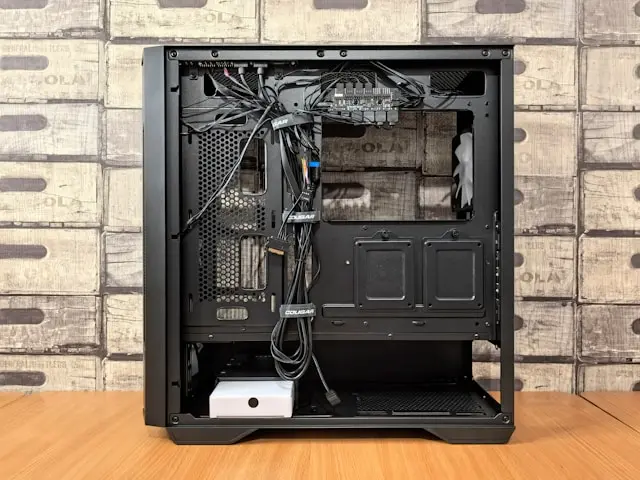
When people think about building or upgrading a PC, cooling often ends up low on the priority list—right up until something starts overheating. Whether you’re gaming, editing videos, or just browsing the web, your computer generates heat. If that heat isn’t managed properly, it can hurt performance, shorten component lifespan, and even cause sudden shutdowns.
The good news is that PC cooling doesn’t have to be complicated or intimidating. There are several cooling options available, each with its own pros, cons, and use cases. From simple air coolers to advanced liquid cooling systems, understanding your choices helps you build a system that runs cooler, quieter, and more reliably.
In this guide, we’ll break down why cooling matters, explore the most common types of PC cooling systems, discuss advanced and alternative methods, and help you decide what works best for your setup—all in plain, easy-to-follow language.
Why PC Cooling Is Important
Every component in your PC produces heat, but the CPU and GPU are the biggest contributors. When temperatures rise too high, your system responds by slowing itself down to protect the hardware. This is called thermal throttling, and it can seriously impact performance—especially during gaming or demanding workloads.
Proper cooling helps your PC maintain stable performance. When temperatures stay within safe ranges, your components can run at their intended speeds without interruption.
Cooling also plays a major role in hardware longevity. Excessive heat puts stress on electronic components, which can lead to premature failure over time. Keeping things cool helps protect your investment.
Noise is another factor. Poor airflow or inadequate cooling often results in fans spinning faster and louder to compensate. A well-cooled system can actually be quieter.
Finally, cooling affects overall system reliability. Sudden crashes, freezes, or restarts are often linked to overheating. Good cooling keeps your PC running smoothly and predictably.
Air Cooling: Affordable and Effective
Air cooling is the most common and beginner-friendly cooling method—and for good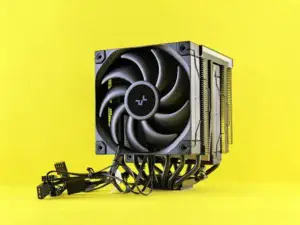 reason. It’s reliable, affordable, and easy to install.
An air cooling setup typically includes a heatsink attached to the CPU and one or more fans that push heat away from the processor. The heatsink absorbs heat, while the fan moves it out into the case airflow.
Benefits of Air Cooling
Air coolers are generally cost-effective, making them a great option for budget and mid-range builds. They also have fewer moving parts compared to liquid cooling, which means less can go wrong.
Installation is usually straightforward, and maintenance is minimal. As long as you keep dust under control, air coolers can last for years without issues.
Air cooling is also extremely reliable. There’s no liquid involved, so you don’t have to worry about leaks or pump failures.
Common Issues with Air Cooling
The biggest downside is size. High-performance air coolers can be large and bulky, sometimes interfering with RAM clearance or fitting inside smaller cases.
Air cooling performance also depends heavily on case airflow. If your case has poor ventilation or cluttered cables, even a good air cooler may struggle.
Despite these limitations, air cooling is more than enough for most users, including gamers and everyday PC builders.
Liquid Cooling: Advanced Cooling for High Performance
Liquid cooling is often seen as the “next level” of PC cooling. It uses liquid to transfer heat away from components more efficiently than air alone.
There are two main types: All-in-One (AIO) liquid coolers and custom liquid cooling loops.
All-in-One (AIO) Liquid Coolers
AIO coolers are sealed units that combine a pump, radiator, tubing, and fans into one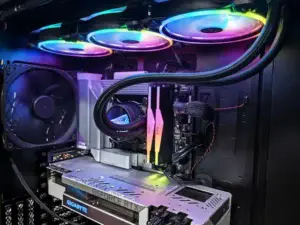 package. They’re easier to install than custom loops and are very popular among gamers and enthusiasts.
AIOs are great for high-performance CPUs, especially if you’re overclocking. They also tend to look cleaner and more modern inside cases with window panels.
Custom Liquid Cooling Loops
Custom loops offer the best cooling performance and customization but require advanced knowledge, planning, and maintenance. These setups are usually reserved for enthusiasts who want maximum performance and visual flair.
Common Issues with Liquid Cooling
Liquid cooling is typically more expensive than air cooling. Installation can be more complex, especially for beginners.
While modern AIOs are very safe, there is still a small risk of pump failure over time. Custom loops require regular maintenance, including checking fluid levels and cleaning components.
For most users, AIO liquid cooling strikes a good balance between performance and ease of use—but it’s not strictly necessary unless you’re pushing your system hard.
Alternative Cooling Methods and Innovations
Beyond traditional air and liquid cooling, there are other cooling methods and innovations worth knowing about.
Case Fans and Airflow Optimization
Even the best CPU cooler won’t perform well without proper airflow. Case fans play a critical role by bringing in cool air and exhausting hot air.
A balanced setup usually includes intake fans at the front or bottom and exhaust fans at the rear or top. Proper airflow reduces heat buildup and improves cooling efficiency across all components.
Passive Cooling
Passive cooling uses large heatsinks without fans. These setups are completely silent but limited in performance. They’re best suited for low-power systems like media PCs or office machines.
Thermal Paste Improvements
Thermal paste sits between your CPU and cooler, helping transfer heat efficiently. Newer pastes and compounds have improved performance and longevity, making a noticeable difference in temperatures.
Emerging Cooling Technologies
Innovations like vapor chamber cooling, advanced heat pipes, and even experimental methods like phase-change cooling are pushing boundaries. While most of these remain niche, they influence mainstream designs over time.
Conclusion
Choosing the right PC cooling system doesn’t have to be overwhelming. Whether you go with air cooling for simplicity, liquid cooling for performance, or a mix of smart airflow and modern components, the key is understanding your needs.
For most users, a quality air cooler and good case airflow are more than enough. Enthusiasts and power users may benefit from liquid cooling, especially for demanding workloads or overclocked systems.
The most important takeaway is this: cooling isn’t just about keeping temperatures low—it’s about performance, reliability, and peace of mind.
What type of cooling are you using in your PC, or what are you considering for your next build? Drop a comment below and join the discussion—I’d love to hear your experience and answer any questions you have!