
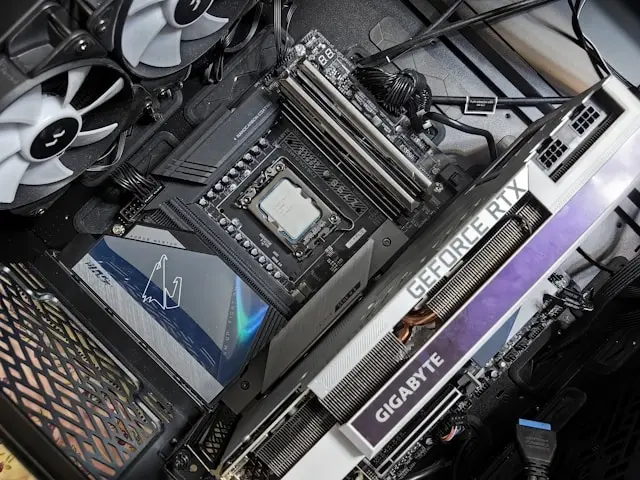
How to Choose Between the Latest CPU and GPU Releases
If you’ve looked at PC parts lately, you already know: it feels like there’s a “brand-new” CPU or GPU every five minutes. Intel, AMD, and NVIDIA are constantly dropping updated models with fancy features, higher clock speeds, and bigger performance promises. But how do you actually decide which one you should buy?
Don’t worry — we’re going to break it all down in a simple, no-stress way so you can choose the right hardware without second-guessing yourself.
1. Understanding What CPUs and GPUs Actually Do
Before comparing anything, let’s make sure the basics are crystal clear:
CPU (Central Processing Unit)
- Handles your everyday computing tasks

- Manages apps, background processes, and multitasking
- Impacts system responsiveness, productivity, and some game performance
Think of it as your computer’s “brain.”
GPU (Graphics Processing Unit)
- Handles visual data and graphics-heavy workloads
- Essential for gaming, 3D rendering, video editing, and AI tasks
- Determines your frame rates, texture quality, and overall visual performance
Think of it as your computer’s “muscles.”
Tip: If gaming is your main priority, the GPU usually matters more. For productivity tasks (coding, editing, content creation), both can carry equal weight depending on the workload.
2. Key Factors to Compare in the Latest CPU Releases
New CPUs come with a ton of buzzwords, but these are the ones you should actually care about:
Core & Thread Count
More cores = better multitasking.
Great for: streaming, content creation, running multiple apps at once.
Clock Speeds (GHz)
Higher speeds = faster single-core performance.
Great for: gaming and snappy everyday performance.
Architecture & Efficiency
Every new generation brings improved performance-per-watt and smarter processing features.
Look for: “IPC improvements,” “efficiency cores,” and “boost clock upgrades.”
Platform Compatibility
Check:
- Does it require a new motherboard socket?
- Does your RAM (DDR4/DDR5) still work?
Upgrading a CPU sometimes means upgrading half your system — keep this in mind.
Price-to-Performance Value
The newest CPU doesn’t always win. Last-gen models are often cheaper and still extremely capable.
3. Key Factors to Compare in the Latest GPU Releases
When checking out the latest GPUs, focus on what actually affects your real-world experience:
VRAM (Video Memory)
More VRAM = better performance with large textures and modern games.
If you play AAA titles, aim for 8–12GB minimum.
Upscaling Features (DLSS, FSR)
- NVIDIA: DLSS
- AMD: FSR
These features boost frame rates using AI or advanced rendering techniques. Newer GPUs usually have better support and higher quality.
Ray Tracing Performance
Ray tracing makes lighting and reflections look more lifelike — but it’s demanding.
NVIDIA currently leads in ray tracing performance.
Power & Cooling Needs
Newer GPUs often need:
- More power (check your PSU)

- Better airflow
- Larger case clearance
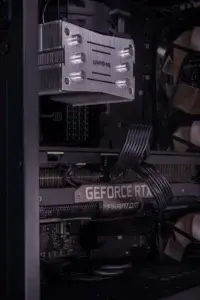
Always check the size before buying!
Gaming Benchmarks
This is the real truth teller. Look for tests in the games you play, not generic charts.
4. Choosing the Right Combination for Your Budget and Goals
Here’s how to match your hardware to your needs without overpaying:
For 1080p Gaming
Prioritize GPU.
A mid-range CPU + solid GPU = best value.
For 1440p or 4K Gaming
GPU becomes even more important.
Aim for strong VRAM and modern upscaling features.
For Streaming or Content Creation
Balance both.
- CPU handles multitasking
- GPU handles rendering
Avoiding Bottlenecks
A super-powerful GPU paired with a very old CPU (or vice versa) can limit performance.
A balanced system always wins.
Best Performance for Your Money
Don’t be afraid of last-gen models. They often drop in price when new parts launch — and still pack excellent performance.
Final Thoughts
Choosing between the latest CPU and GPU releases doesn’t have to be complicated. Focus on your real needs, check the features that actually matter, and balance your build around the games or tasks you care most about.
With a little understanding of each component, you’ll end up with a system that performs great, feels fast, and stays within your budget.