
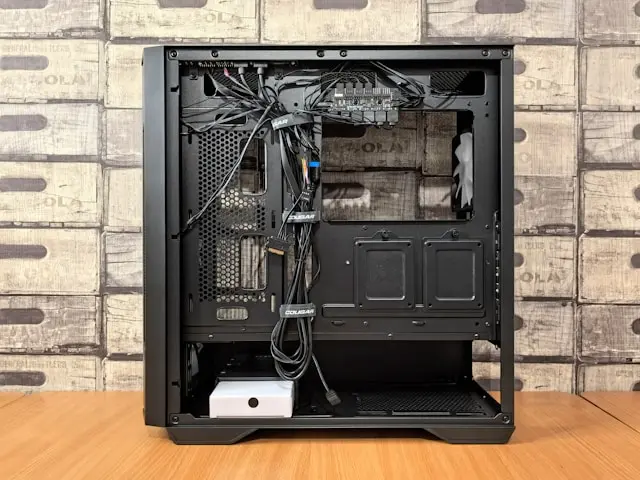
Common PC Building Mistakes to Avoid
Building your own PC can be one of the most rewarding tech projects you’ll ever take on. There’s something special about picking each part yourself, placing it into the case, and hitting that power button for the first time. But for beginners—and even experienced builders—there are some common mistakes that can easily slip into the process. The good news? Once you know what to look out for, avoiding these pitfalls becomes a whole lot easier.
Today, we’re going to walk through the most frequent PC-building missteps, why they matter, and how you can sidestep them without stress. If you’re building your first PC, upgrading your current rig, or planning a fresh build down the road, this guide will help you avoid frustration and get to gaming (or working!) faster.
Understanding the Basics: Skipping Compatibility Checks
One of the biggest and most common mistakes new builders make is not double-checking
compatibility between components. It might not be the most exciting part of the process, but if your parts can’t work together, your PC simply won’t function—no matter how carefully you assemble it.
Here are the essential areas to check:
CPU and Motherboard
Your processor (Intel or AMD) must match your motherboard’s socket type. Intel’s socket types change frequently, while AMD stays more consistent—but you still need to verify. A Ryzen AM4 CPU will not fit in an AM5 motherboard, for instance.
Motherboard and RAM
It’s not enough that the RAM “looks right.” Each board has supported RAM speeds, types, and maximum capacities.
For example:
- DDR4 RAM will not fit in a DDR5 board.
- A board that supports up to 3600 MHz RAM won’t let you realistically push 5000 MHz sticks to their max speeds.
GPU Size and Case Clearance
Modern graphics cards are bigger than ever. It’s not unusual for a GPU to run too long or too thick for a compact case. Case manufacturers usually list GPU clearance—check it before ordering.
Power Requirements
High-end components require more wattage. Skipping this step can lead to random shutdowns or a PC that won’t turn on at all.
Cooler and Case Compatibility
Some coolers are simply too tall for certain cases. Others may block RAM slots if you’re not careful.
Pro Tip:
Use PCPartPicker.com when planning your build. It automatically flags compatibility issues for you.
Neglecting Proper Cooling and Airflow
Even if you pick all the right parts, your PC won’t run well—or for long—if it can’t stay cool. Poor airflow is one of the most overlooked issues in beginner builds.
One of the Most Common Mistakes? Backwards Fans.
It happens all the time: fans installed facing the wrong direction.
Fan direction matters because airflow needs to follow a specific pattern:
- Air In (front and bottom)
- Air Out (top and back)
If you reverse this setup, your PC will end up recirculating hot air instead of pushing it out.
Not Enough Case Fans
Your CPU and GPU create a lot of heat under load. A case with only one exhaust fan may struggle to keep up. Ideally, aim for at least:
- 2 intake fans
- 1 exhaust fan
More is fine—just keep the balance in mind.
Dust Buildup
Even the best cooling setup fails when dust piles up. Dust-covered fans spin slower, airflow weakens, and components heat up. Clean your PC every few months with compressed air, especially around intake filters.
Improper Cooler Installation
Whether you’re using an air cooler or an all-in-one liquid cooler, make sure it’s installed correctly:
- Air coolers must be oriented to send hot air toward your exhaust fans.
- AIO radiators mounted at the bottom or with tubes at the top can cause air bubbles to get trapped, which leads to pump noise and reduced cooling.
A properly cooled PC is a happy PC—and one that will last much longer.
Underestimating Power Supply Needs
The power supply (PSU) is the most undervalued component in most builds. New builders often think they can save money here—not realizing that the PSU is the heart of the system. A weak or poorly made PSU can lead to crashes, poor performance, or even component damage.
How Much Power Do You Actually Need?
A good rule:
Add up the total wattage your parts require, then give yourself at least 20% headroom.
For example, if your build estimates around 450 watts, a 550–650 watt PSU is a safe choice.
Avoid Generic Power Supplies
Cheap, unbranded PSUs often lack protections like:
- Overvoltage protection
- Short circuit protection
- Overcurrent protection
These aren’t just convenience features—they protect your hardware.
Choose a PSU with an Efficiency Rating
Look for at least:
- 80+ Bronze for budget builds
- 80+ Gold for gaming PCs
- 80+ Platinum for long-term efficiency
The better the rating, the more consistent and stable the power delivery will be.
Check GPU Power Requirements
Some graphics cards now require new power connectors like 12VHPWR. Make sure your PSU supports these—or comes with proper adapters from a reputable brand.
A good PSU protects your investment. Never treat it as an afterthought.
Improper Cable Management and Assembly
Cable management isn’t just about making your PC look good—it actually impacts airflow,
cooling, and ease of maintenance.
Why Cable Management Matters
Messy cables can:
- Block fans
- Restrict airflow
- Trap dust
- Make upgrades far harder
Even a little organization goes a long way.
Use the Case’s Cable Routing Features
Most modern PC cases give you:
- Rubber grommets
- Cable tie points
- Cable channels
- Back panel space
Use them! They make cable management easier than ever.
Don’t Force Cables into Ports
Every year, someone bends or breaks a motherboard pin by pushing too hard. If a cable doesn’t fit easily, it’s probably the wrong one or oriented incorrectly.
Install the I/O Shield Before the Motherboard
Trust me—this is a mistake you make only once. Forgetting the I/O shield means removing the motherboard and redoing everything.
Secure All Screws—but Don’t Over-tighten
Over-tightening can strip screws or crack the motherboard. Tighten until snug, then stop.
Double Check All Connections Before Powering On
Loose power cables or half-seated RAM sticks are a common cause of a PC not turning on.
Take your time. Your build will thank you.
Conclusion
Building a PC is a fun and empowering project, but it’s also easy to make mistakes—especially if you’re new to it. The good news is that most problems are easy to avoid with a little planning and awareness. By checking component compatibility, ensuring proper airflow, choosing the right power supply, and taking your time with assembly and cable management, you’ll set yourself up for a smooth building experience and a system that performs reliably for years.
If you’ve built a PC before, what mistakes did you learn from? And if you’re planning your first build, what questions do you have? Drop a comment on the blog—I’d love to hear from you!