
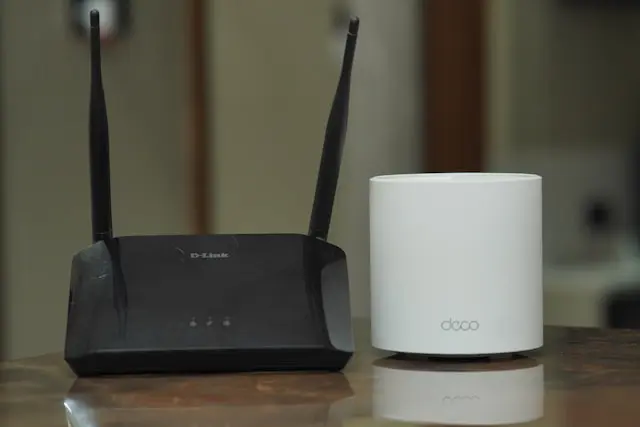
Comparison Of Top Wireless Routers
Your wireless router is one of the most important pieces of technology in your home, yet it’s often the most overlooked. A good router keeps your internet fast, stable, and reliable, while a bad one can cause slow speeds, dropped connections, and endless frustration.
With so many wireless routers on the market, choosing the right one can feel overwhelming. This guide breaks things down in simple terms, compares popular options, and helps you decide which router is best for your home and internet needs.
Why Choosing the Right Wireless Router Matters
Your internet speed isn’t just about your internet plan — your router plays a huge role.
A quality wireless router helps with:
- Faster and more consistent speeds
- Better coverage throughout your home
- Stable connections for multiple devices
- Reduced lag for gaming and streaming
If you have smart TVs, phones, tablets, laptops, gaming consoles, and smart home devices all connected at once, an older or low-quality router can struggle to keep up.
Upgrading your router can often improve your internet experience without changing your internet provider.
Key Features to Compare in Wireless Routers
Before comparing specific models, it’s important to understand the features that actually matter.
Wi-Fi Standards
Modern routers use newer Wi-Fi standards:
- Wi-Fi 5 (802.11ac) – Still good for basic use
- Wi-Fi 6 (802.11ax) – Faster speeds and better handling of multiple devices
- Wi-Fi 6E – Uses an extra band for less congestion
For most homes, Wi-Fi 6 is the sweet spot.
Speed Ratings
Router speeds are listed as numbers like AX3000 or AX5400. Higher numbers generally mean better performance, but real-world speed depends on:
- Your internet plan
- Device compatibility
- Distance from the router
Coverage and Antennas
Larger homes need better coverage. Look for:
- Multiple external antennas
- Mesh compatibility
- Strong signal ratings
Security Features
Good routers include:
- Built-in firewalls
- WPA3 encryption
- Automatic firmware updates
Security is just as important as speed.
Comparison of Top Wireless Routers
Here’s a simplified look at some popular and reliable wireless routers for home users.
ASUS RT-AX88U (Wi-Fi 6)
- Excellent performance and range
- Great for gaming and streaming
- Advanced settings for power users
Best for: Power users and gamers
TP-Link Archer AX55
- Affordable Wi-Fi 6 option
- Solid speeds for everyday use
- Easy setup
Best for: Budget-friendly upgrades
Netgear Nighthawk AX5400
- Strong performance for large homes
- Handles many devices well
- Sleek design
Best for: Busy households
Google Nest WiFi (Mesh System)
- Simple setup
- Excellent whole-home coverage
- Clean, minimal design
Best for: Homes with Wi-Fi dead zones
Eero 6+
- Easy-to-use mesh system
- Good balance of speed and coverage
- Automatic updates
Best for: Beginners and smart homes
How to Choose the Best Wireless Router for Your Home
The “best” router depends on how you use the internet.
Choose a Standard Router if:
- You live in a small apartment or home

- You mainly browse, stream, and work online
- Your router sits near the center of your space

Choose a Mesh System if:
- You have a large or multi-story home
- You experience Wi-Fi dead zones
- You want consistent coverage everywhere
General Tips
- Match your router to your internet speed
- Place the router in a central location
- Keep firmware updated
You don’t need the most expensive router — just one that fits your home and usage.
Conclusion
A good wireless router can dramatically improve your internet experience. Faster speeds, better coverage, and more reliable connections make everyday tasks like streaming, gaming, and working from home far more enjoyable.
By understanding key features and comparing top models, you can confidently choose a router that meets your needs without overspending. Whether you’re upgrading an old router or setting up a new home network, the right choice makes all the difference.