
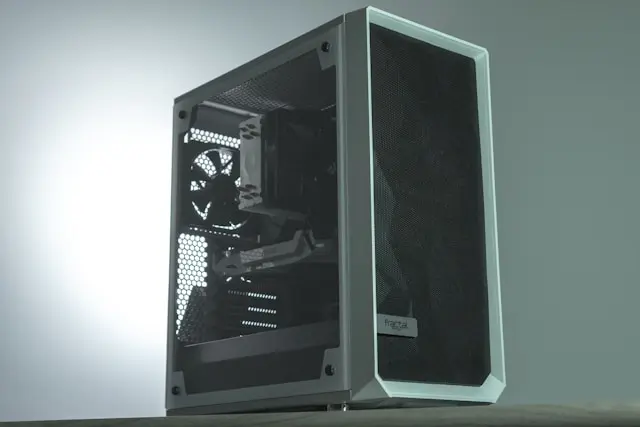
How Do I Choose the Right PC Case?
When people plan a PC build, the case is often treated as an afterthought. It’s easy to focus on flashy parts like the CPU, graphics card, or RGB lighting and forget that the PC case is what holds everything together. Choosing the right case can make your build easier, cooler, quieter, and even more enjoyable to use.
If you’re new to PC building, don’t worry. This guide breaks everything down in simple terms so you can confidently choose a PC case that fits your needs, budget, and future plans.
Why Your PC Case Matters More Than You Think
A PC case isn’t just a box — it affects almost every part of your system.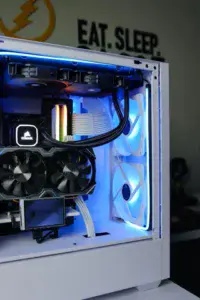
The right case helps with:
- Airflow and cooling, which keeps components from overheating
- Ease of building, especially if you’re a first-time builder
- Cable management, making your PC look clean and organized
- Upgradability, giving you room for future parts
A poorly chosen case can lead to cramped builds, poor airflow, loud fans, and frustration during installation. Spending a little extra time choosing the right one can save you headaches later.
Understanding PC Case Sizes and Form Factors
PC cases come in different sizes, and size matters more than many beginners realize.
Common Case Sizes
- Full Tower – Large, roomy, and great for high-end builds
- Mid Tower – Most popular choice, balances size and compatibility
- Mini Tower / Small Form Factor – Compact builds with limited space
Matching Your Motherboard
Your case must support your motherboard’s form factor:
- ATX – Standard full-size boards
- Micro-ATX – Slightly smaller
- Mini-ITX – Compact builds
If you’re unsure, a mid-tower case with ATX support is the safest and most flexible option for beginners.
Airflow, Cooling, and Build Features to Look For
Good airflow keeps your PC cool and running smoothly.
Airflow Basics
Look for:
- Front mesh panels instead of solid glass
- Multiple fan mounting options
- Space for intake and exhaust fans
Cooling Support
Make sure the case supports:
- CPU air coolers or liquid coolers
- Radiator sizes you might want in the future
Build-Friendly Features
Beginner-friendly cases often include:
- Tool-less drive bays
- Rubber grommets for cable routing
- Plenty of space behind the motherboard tray
These features make building and maintaining your PC much easier.
Choosing the Right PC Case for Your Budget and Build Goals
The “best” PC case depends on how you plan to use your system.
For Budget Builds
- Focus on airflow over looks
- Avoid overly cheap cases with poor ventilation
- Stick with trusted brands
For Gaming Builds
- Ensure GPU clearance
- Prioritize cooling and airflow
- RGB and tempered glass are optional
For Quiet or Work PCs
- Look for sound-dampening features
- Fewer fans with better airflow can reduce noise
You don’t need the most expensive case — you need one that fits your components and goals.
Conclusion
Choosing the right PC case is about balance. You want something that fits your hardware, keeps everything cool, and makes the building process enjoyable. A good case improves airflow, simplifies cable management, and gives you room to upgrade later.
If you’re building your first PC, don’t overthink it. A quality mid-tower case from a reputable brand is usually the perfect starting point.
💬 Let’s Talk About It
What PC case are you currently using, or planning to buy? Did airflow, looks, or price matter most in your decision? Have you ever regretted a case choice?
Share your experience or questions in the comments — your insight might help someone else choose the perfect PC case for their build!